Introduction
Why do some LED displays appear clear during the day but become blindingly bright at night? And why do some screens, despite seemingly good specifications, always appear hazy and dull after installation? The problem likely lies in brightness selection. Brighter isn't always better for LED displays; the key is matching screen brightness to the installation environment.
 1. What Determines the Brightness of an LED Display Screen?
LED display brightness is typically measured in nits (candelas per square meter). A higher value indicates stronger light emission, but high brightness doesn't necessarily mean a better viewing experience. Turning on a very bright LED screen in a softly lit conference room is like switching on high beams in the dark—even if the image is clear, prolonged viewing is uncomfortable. Conversely, an outdoor advertising screen with insufficient brightness will be as unreadable in sunlight as a phone screen under direct sun.
Three factors must be considered: First, how strong is the ambient light (indoor lighting, natural light from windows, and outdoor sunlight all affect viewing). Second, from what distance do viewers typically watch (close range requires attention to detail and comfort; distance requires sufficient visibility). Third, when will the screen operate (screens running from morning to late night must account for brightness variations throughout the day rather than maintaining maximum brightness continuously).
For corporate purchasing managers, the most sensible approach is not to seek the brightest product, but to first understand the installation environment and then determine the required brightness range.
 2. What Brightness Levels Should Be Chosen for Indoor, Semi-Outdoor, and Outdoor LED Displays?
The following values serve as references for initial project selection. Actual adjustments depend on site lighting, screen orientation, and viewing distance:
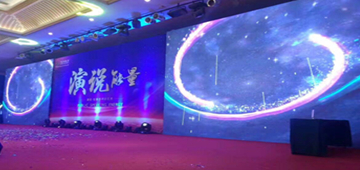
Typical indoor environments: approximately 600–1200 nits (conference rooms, corporate showrooms, indoor shopping malls, hotel banquet halls). These locations typically have stable artificial lighting and don't need to compete with strong sunlight. Excessive brightness causes glare, especially in conference rooms requiring prolonged viewing of text and data. A product with a soft image, natural colors, and fine brightness adjustment is more practical than pursuing exceptionally high brightness.
Bright indoor environments: approximately 1200–2000 nits
Semi-outdoor environments: approximately 2000–4000 nits
Ordinary outdoor environments: approximately 5000–8000 nits
Strong direct sunlight environments: approximately 8000–10000 nits or higher
 3. Why Do Different Locations Require Different Brightness Levels for Indoor LED Displays?
A common purchasing mistake is assuming all indoor LED displays can use the same brightness configuration. In reality, lighting conditions in conference rooms, shopping malls, and exhibition spaces are completely different.
Conference rooms: Need to display text, charts, videos, and remote conference footage. Extended high-brightness operation causes visual fatigue. Focus on brightness adjustment capability, grayscale performance at low brightness, and color stability.
Shopping malls: Environments vary significantly. Morning sunlight may enter through glass curtain walls, while indoor lighting dominates at night. If the screen plays advertisements all day, choose a product with sufficient brightness margin and automatic adjustment support.
Exhibition halls and museums: Brighter isn't necessarily better. A technology exhibition hall may need bright, vibrant dynamic images, while an art exhibition may prefer a softer, immersive atmosphere. Playing all content at maximum brightness can disrupt the space design.
Live broadcast studios: The audience's visual experience cannot be considered in isolation. When shooting with cameras, coordination between refresh rate, grayscale, color, and screen brightness must be considered. An overly bright background screen may affect subject exposure and overall color performance. Actual shooting tests are recommended before formal procurement.
 4. Is Brighter Always Better for LED Displays? What Problems Can Excessive Brightness Cause?
Affects viewing comfort: In dimly lit indoor environments, an overly bright screen appears glaring, especially in conference rooms and control centers requiring long hours of use.
Increases power consumption: Extended high-brightness operation increases power consumption. For large-area commercial display projects, long-term operating costs cannot be ignored.
Increases heat dissipation pressure: Continuous high-output operation places greater workload on the power supply, driver, and cooling system.
Nighttime light interference: Outdoor LED advertising screens need sufficient brightness during the day, but at night ambient light decreases significantly. Maintaining daytime brightness may cause visual disturbance to nearby residents, drivers, and pedestrians. Outdoor LED displays should ideally be equipped with ambient light sensors to automatically adjust brightness according to changes during day, dusk, and night.
A truly good LED display should not operate at maximum brightness 24 hours a day, but rather flexibly adapt to the environment.
 5. How Should Businesses Determine the Appropriate Brightness When Purchasing LED Displays?
Step 1: Observe the screen installation location. Don't judge based on drawings alone. Visit the actual site to confirm whether the screen is near glass windows, whether there are building obstructions, whether it will be exposed to direct sunlight, and whether there are strong reflective surfaces nearby. Even for indoor LED screens in shopping malls, actual brightness requirements differ significantly depending on whether they are installed in a central corridor or next to a glass curtain wall.
Step 2: Determine the primary viewing time. If the screen mainly operates during the day, carefully consider the impact of natural light. If it operates all day, nighttime brightness adjustment capability must also be considered. For outdoor advertising projects, clearly define daytime and nighttime brightness control plans.
Step 3: Determine brightness based on screen content. When displaying text, maps, and data, clarity of information is crucial. When playing advertising videos and dynamic visual content, color performance and overall image quality must be considered. Don't judge screen performance solely on a high-brightness test image; have the supplier play actual project content.
Step 4: Check brightness adjustment and automatic control functions. A mature LED display system should adjust brightness according to different usage needs. For outdoor projects, configure an ambient light sensor for automatic brightness adjustment. For indoor projects, pay attention to whether good grayscale and color performance are maintained at low brightness.
Step 5: Request actual testing from suppliers. Before purchasing, request samples or on-site testing. Key observations: Is the image clear at different brightness levels? Are white and gray images natural? Is there noticeable color unevenness at low brightness? Is it easy to view in sunlight during the day? Is it comfortable to watch at night after reducing brightness? Finally, comprehensively compare power consumption, heat dissipation, warranty, and after-sales service.
For businesses, suitable LED display brightness is not just a parameter, but a comprehensive choice related to display effect, operating costs, and long-term user experience.
 6. Conclusion
Brighter LED displays are not necessarily better; the key is just the right amount of brightness. For indoor use, focus on comfort; for semi-outdoor use, consider changes in ambient light; for outdoor use, ensure daytime visibility. Conducting on-site assessments before purchasing is often more valuable than simply pursuing higher brightness figures.